


Instant camera printer
Instant camera printer
Out of stock
Regular price
Rs. 1,349.00
Sale price
Rs. 1,349.00
Regular price
Unit price
per
Shipping calculated at checkout.
Couldn't load pickup availability
- Fully secure checkout
- Trusted by thousands
- Rated and reviewed
*Instant camera printer*
### **1. Product Structure**
**Product Description:**
1. Front Lens
2. Shutter Button / OK Button
3. Up Button
4. Down Key
5. Power Key / Back Key
6. Print Key
7. Lens Switch
8. Speaker
9. Print Outlet / Paper Deck
10. Rear Lens
11. TF Card Slot
12. Charging Port
13. Reset Hole
14. Lanyard Hole
---
### **2. Introduction to Key and Interface Functions**
#### **1. Power Key / Back Button**
* Press and hold for 2s to turn on/off.
* Tap to return to the previous screen.
#### **2. Shutter Button / OK Button**
* Confirm key.
* In photo/video mode, tap to take a photo or video.
* In playback mode, tap to play/pause a video.
* In MP3 mode, tap to play/pause a song.
#### **3. Up Key**
* Select upward.
* In photo/video: tap to switch filters, stickers, effects, etc. (Long press to zoom in).
* In MP3: tap for previous song; hold to increase volume.
#### **4. Down Key**
* Select downward.
* In photo/video: tap to switch filters, stickers, effects, etc. (Long press to zoom out).
* In MP3: tap for next song; hold to decrease volume.
#### **5. Print Key**
* In photo/album mode: tap to print (cannot print while charging).
#### **6. Lens Switch Key**
* Tap to switch between front and rear camera.
* In main interface: tap to enter playback mode.
#### **7. Reset Hole**
* Use pinhole if the device is stuck or crashed.
#### **8. Print Outlet / Paper Deck**
* Paper output and insertion.
* ⚠️ *Do not use brute force when replacing paper.*
#### **9. Charging Port**
* Type-C.
* For charging or PC connection (can also work as a PC camera).
---
### **3. Basic Operating Instructions**
#### **Power On and Off**
* Long press "Power Button" for 2s to turn ON/OFF.
---
### **4. Product Specifications**
#### **1. Product Parameters**
* **Print & Photo**: Off, On
* **Picture Quality**: 3M, 5M, 8M, 12M, 20M, 48M
* **Resolution**: 1080P, 720P, VGA
* **Print Mode**: Grayscale, Dot Matrix
* **Print Density**: High, Standard, Low
* **Time Markers**: Off, On
* **Languages**: 15+ languages including English, Chinese, Japanese, etc.
* **Screen Saver**: Off, 1, 2, 3 minutes
* **Auto Power Off**: Off, 1, 3, 5 minutes
* **Loop Recording**: Off, 1, 5, 10 minutes
* **Volume**: 0–7
* **Format**: Cancel, Confirm
* **Date/Time**: Customizable
* **Factory Reset**: Cancel, Confirm
* **Firmware**: 2024/01/19, V1.4
#### **2. Technical Specifications**
* **PCB Model**: Y1000-25B-V1
* **Master Model**: AX3295
* **Image Sensor**: GC2035
* **Display**: 2.0" / 2.4" (320x240)
* **Buttons**: 7
* **TF Card**: 8GB to 128GB (FAT32)
* **Video Format**: AVI
* **Image Format**: JPG
* **Audio Format**: MP3
* **Temp Range**: -20°C to +60°C
* **Humidity**: 15%
* **Power**: USB 5V, 3.7V battery
* **Standby**: <36μA
* **Low Power Alert**: 3.65V
* **Consumption**:
* BAT 3.7V / Video ≤ 275mA / 1.02W
* USB 5V / Video ≤ 925mA / 4.62W
* **Ports**: USB-Type C, TF Slot
---
### **5. Modes & Features**
#### **Photo Mode**
* Use `Shutter` to capture.
* Use `Up/Down` for filters/effects/stickers/bursts/zoom.
* Use `Lens Switch` for front/rear camera.
* Use `Print Key` to print (icon will appear).
* Icon meanings:
* 🕒: Continuous shooting.
* ⏳: Countdown.
* 📝: Black & white sketch.
* 🎨: Color sketch.
#### **Video Recording Mode**
* Enter with video icon.
* Tap `Shutter` to start/stop.
* Use `Up/Down` for filters.
* Use `Lens Switch` to toggle cameras.
#### **Playback Mode**
* Tap `Shutter` to view.
* `Up/Down` to browse files.
* `Lens Switch` to delete.
* Tap `Shutter` to print photos if printing icon appears (not while charging).
#### **Menu Mode**
* Navigate settings via `Menu` icon.
* Use `Up/Down` to scroll.
* Use `Shutter` to select, `Back` to exit.
#### **Game Mode**
* Navigate games using gamepad icon.
* Use `Up/Down`, `Print`, `Camera Switch` for controls.
#### **MP3 Mode**
* Store songs in `MP3` folder on TF card.
* Navigate to music mode icon.
* Use `Shutter` to play/pause.
* Use `Up/Down` to change volume or song.
#### **USB Mode**
1. Without card: works as PC Camera.
2. With card: acts as USB storage (to access MP3, videos, photos).
⚠️ **Note:** Do not pull the TF card during video/photo/music/playback mode.
---
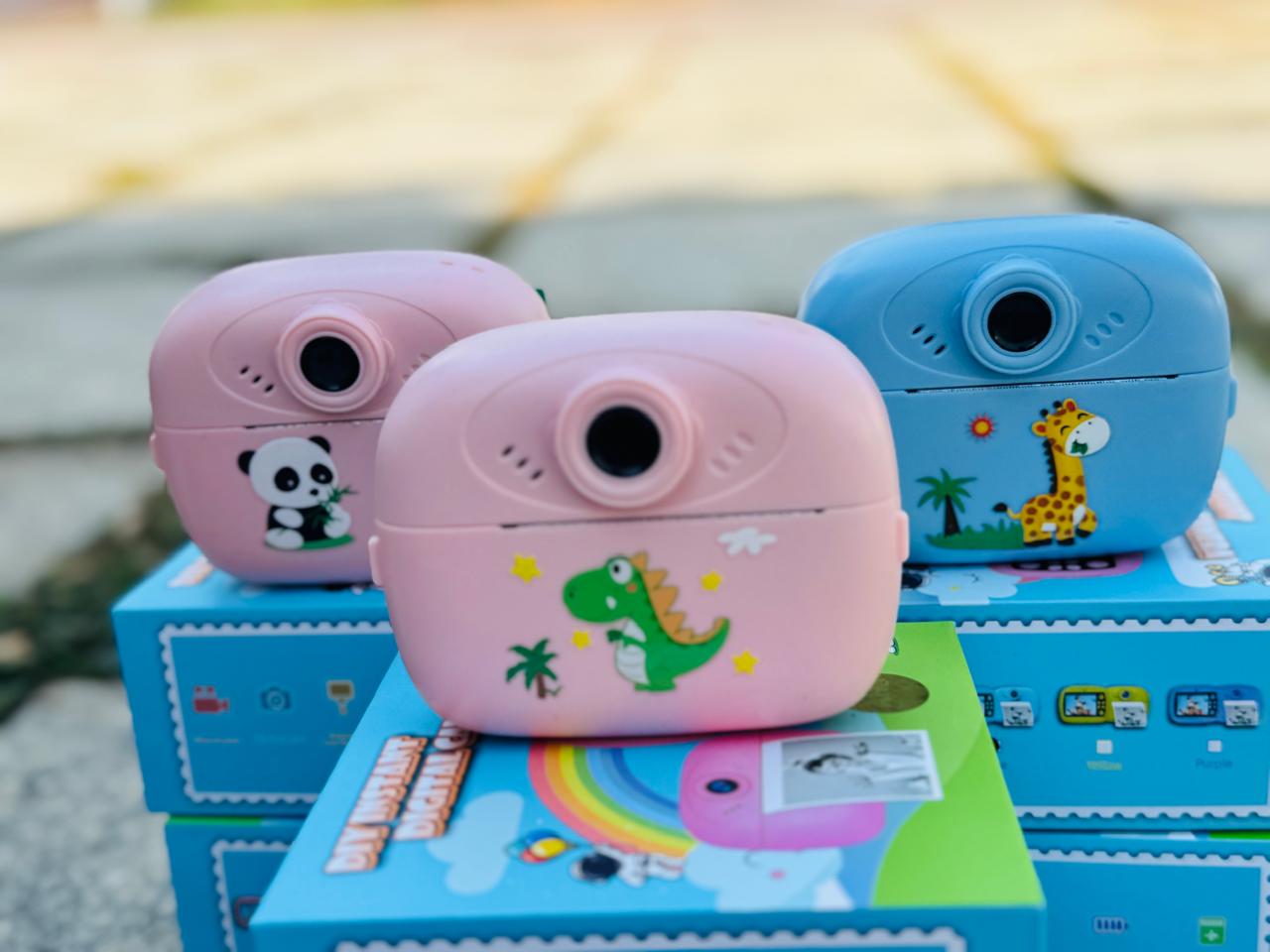
### **Box Highlights (from last image)**
* ♻️ Environmentally Friendly Materials
* 🔍 16x Zoom
* 🖨️ Support External Printing
* ⏱️ Timed Self-Timer
* 📷 2.0-inch Screen
Contains : 2 paper roll ,camera with sling ,usb cable and manual ..
Requirement : Memory card :support TF card (8 GB to 12 GB ) FAT32/16 format (Memory card not included )



-
ACHIEVING
4.8 average rating
-
With
95% positive reviews
-
Less than
1% product defects